-->
 Version 3.2.1 — Latest
Desktop Banking

Manage Your Finances Right From Your Desktop

Download the Western Trustee desktop application for a powerful, secure, and seamless banking experience — available for Windows, macOS, and Linux.
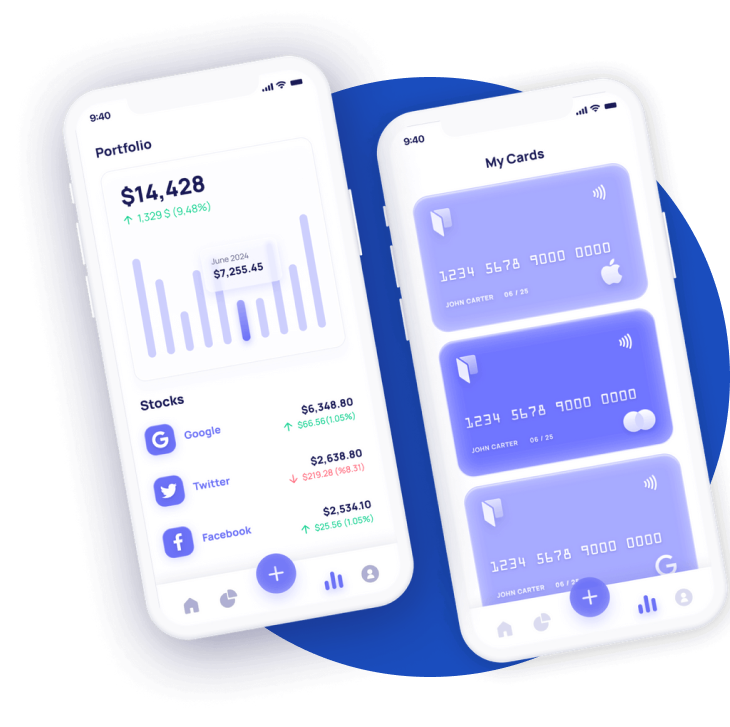

Desktop App Preview

Choose Your Platform

Download the version that matches your operating system and start banking in minutes.

Windows

v3.2.1 • 85 MB

  • Windows 10 or later
  • 64-bit processor
  • 4 GB RAM minimum
  • 250 MB disk space
Download .exe

macOS

v3.2.1 • 92 MB

  • macOS 12 Monterey or later
  • Apple Silicon & Intel
  • 4 GB RAM minimum
  • 300 MB disk space
Download .dmg

Linux

v3.2.1 • 78 MB

  • Ubuntu 20.04+ / Fedora 36+
  • 64-bit processor
  • 4 GB RAM minimum
  • 200 MB disk space
Download .AppImage

Why Use the Desktop App?

Experience premium banking with features designed for power users.

Offline Access

Review your transaction history and account details even when you're offline. Data syncs automatically once reconnected.

Enhanced Security

End-to-end encryption, biometric login, and hardware-level security for maximum protection of your assets.

Portfolio Tools

Advanced charts, portfolio analytics, and real-time market data — all integrated natively into your desktop.

Real-Time Alerts

Native desktop notifications ensure you never miss an important transaction, transfer, or market movement.

System Requirements

Ensure your system meets the minimum requirements for the best experience.

Windows
  • Windows 10 (version 1903+) or Windows 11
  • 64-bit processor (x86_64)
  • 4 GB RAM (8 GB recommended)
  • 250 MB available disk space
  • Internet connection for activation
macOS
  • macOS 12 Monterey or later
  • Apple Silicon (M1/M2) or Intel
  • 4 GB RAM (8 GB recommended)
  • 300 MB available disk space
  • Internet connection for activation
Linux
  • Ubuntu 20.04+, Fedora 36+, Debian 11+
  • 64-bit processor (x86_64)
  • 4 GB RAM (8 GB recommended)
  • 200 MB available disk space
  • GTK 3.0+ libraries

Frequently Asked Questions

Is the desktop app free to download?

Yes, the Western Trustee desktop app is completely free for all account holders. Simply download, install, and log in with your existing credentials.

How do I install the app on my computer?

Download the installer for your operating system, run the file, and follow the on-screen instructions. The installation process takes less than two minutes.

Can I use the desktop app alongside the mobile app?

Absolutely! Your account syncs seamlessly across all devices. Use the desktop app at work, the mobile app on the go, and the web app anywhere else.

Is my data secure on the desktop app?

Your data is protected with bank-grade 256-bit AES encryption, two-factor authentication, and secure local storage. We never store your password on disk.

How often is the app updated?

We release updates regularly with new features, security patches, and performance improvements. The app automatically checks for updates on launch.

Ready to Get Started?

Download the Western Trustee desktop app and take control of your finances today.

 Download Now